KeyChord - Piano Chords/Scales
UmitoBooks & Reference
4.852.00 Reviews
- Version
- 2.170
- Installs
- 10.00K
- Age Rating
- Everyone
Screenshots
Our Review of KeyChord - Piano Chords/Scales
 Analysis by Appyee
I see KeyChord - Piano Chords/Scales as a focused musical reference, not a course that will teach piano from the ground up. Its appeal is the quick link between a theory question and a sound or keyboard shape you can inspect. That makes it useful when I’m practicing, writing, or trying to understand a chord name, while less convincing for anyone who wants structured lessons or feedback on their playing.
A reference you can consult while music is still in your hands
The distinction matters: a book can explain a scale, and a general web search can find a chart, but both can interrupt a practice session. A dedicated piano reference is more valuable when it helps you move from “What notes are in this?” to seeing and hearing the answer without turning the question into a long research task. That is the role I’d give this app: a companion for exploration, rather than a substitute for a teacher, instrument, or method book.
As a Books & Reference app from Umito, it is aimed at musicians who want musical information close at hand. Its 4.8 average from around 370 ratings and more than 10,000 installs suggest that it has found an audience, though popularity alone can’t tell you whether its way of working suits your habits. It costs $2.99, is rated for Everyone, and runs on Android 6.0 or later; the current version is 2.170.
Where a chord-and-scale lookup earns its keep
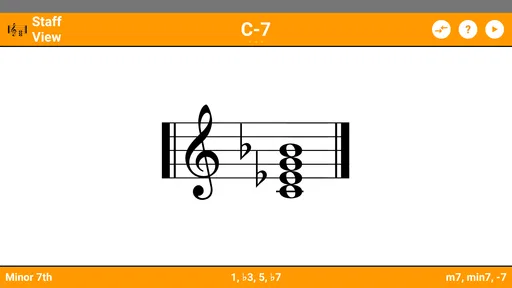
The strongest use case is a short, specific question during practice. Say I’m working through a song and meet a chord I can name but can’t quite picture. I can look it up, inspect the notes on the keyboard, and listen to the sound, then return to the instrument and try it in context. That small loop—identify, look, listen, play—is more useful than memorizing a diagram in isolation because it connects a label to both a shape and a sound.
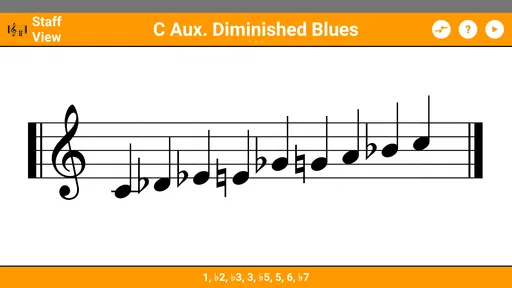
It can also help when a familiar progression starts to feel stale. Instead of reaching immediately for a random chord chart, I can explore a different chord quality or scale and listen for whether its color fits the idea I’m working on. The app can prompt experimentation, but I still have to decide whether the result serves the melody, mood, and voice of the piece. A list of possibilities is not the same thing as musical judgment.
If I were using it to study, I’d avoid browsing endlessly. I’d pick one key or one unfamiliar chord, listen carefully, and then find the same notes on a real keyboard. After that, I’d try the sound in a simple progression and come back later to check whether I can recall it without looking. That routine turns a quick reference into a modest practice aid, without pretending the app itself provides a complete learning plan.
What it feels like to explore the keyboard
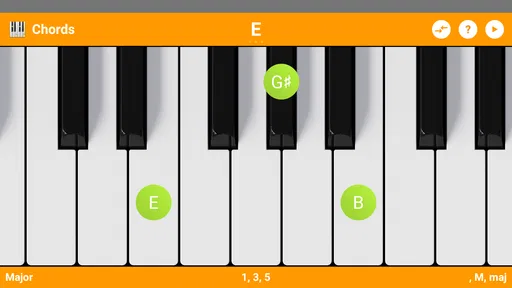
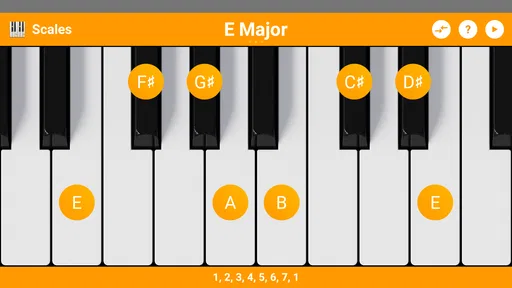
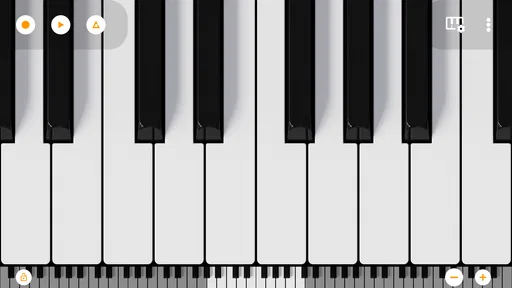
First impressions matter, and KeyChord - Piano Chords/Scales doesn’t disappoint. The interface is sleek and intuitive, designed in a way that doesn’t feel overwhelming to newcomers. When you open the app, you’re greeted with a virtual keyboard that’s both responsive and easy to navigate. It’s like having a mini piano right in your pocket!
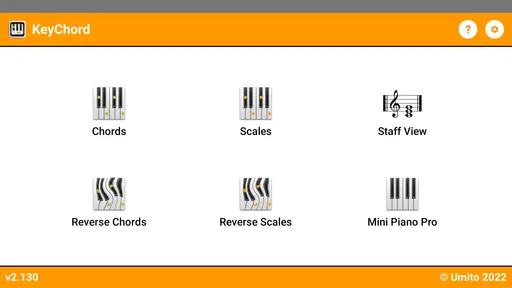
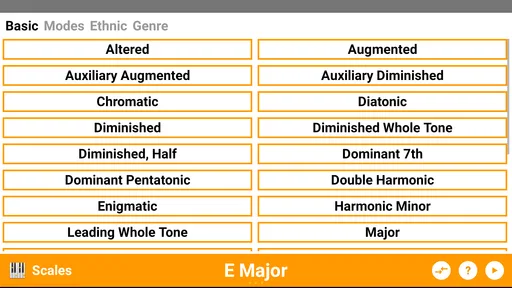
The app's layout is straightforward. At the top, you have options to select between chords and scales, and below that, you’ll find a plethora of options to customize your learning experience. Whether you’re exploring minor pentatonic scales or hunting for augmented chords, everything is just a few taps away. It’s a beautiful blend of simplicity and functionality.
Learning with Chords and Scales
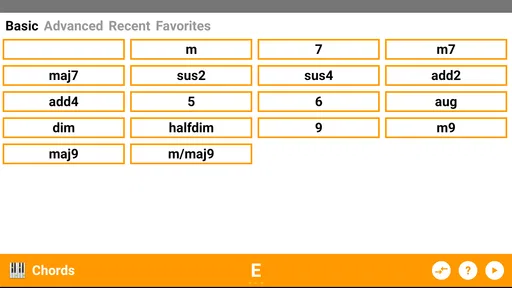
One of the standout features of this app is how it teaches you different chords and scales. I’ll admit, my knowledge of music theory was pretty rusty before using this app, but the way it breaks down complex concepts into bite-sized lessons is incredible. You can easily switch between different key signatures and explore their corresponding chords and scales.
For instance, if you’re curious about the Dorian mode or want to master the diminished chord, just select it from the list and the app will show you the notes on the keyboard. It even plays the sound, so you know exactly how it should resonate. This auditory feedback is a game-changer, especially if you learn better by listening.
Customization and User Experience
Another thing I love about KeyChord is the level of customization it offers. You can adjust the size of the keyboard, change the theme, and even practice with different sound settings. This flexibility makes it a perfect companion for those late-night practice sessions or quick lessons during your lunch break.
One feature that stood out to me was the ability to create your own chord progressions. You can experiment with different combinations and save them for later, which is great for songwriting. It’s like having a personal music assistant!
Making the reference work for your routine
For a songwriter, the saved-progressions idea has a practical advantage: it gives an unfinished thought somewhere to live. I might try a few chord combinations, keep the one that suggests a direction, and return to it when I have an instrument available. The trade-off is that saving a sequence doesn’t make it a finished arrangement. I’d still test the progression at the tempo and in the register I intend to use, then check how it supports a melody rather than assuming that a promising sequence will work everywhere.
The virtual keyboard is also best treated as a listening and visual aid, not as a replacement for touch. It can help me recognize which notes belong to a chord, but it can’t tell me how a real piano key responds under my fingers or whether a fingering feels comfortable. If I’m learning to play, I’d use the app between hands-on sessions: preview a shape, then practice it on the instrument. That division keeps expectations sensible and makes the reference more useful.
Customization has a similar practical limit. Adjusting the keyboard size may make note patterns easier to inspect on a small screen, while a different theme can make a quick lookup more comfortable. Neither changes the underlying musical work. I’d choose a readable setup once, then leave it alone during practice so that experimenting with appearance doesn’t become a distraction from hearing and playing the material.
Who benefits most—and who may want something else
I’d recommend it most to piano learners who already have an instrument and want a fast way to check chord and scale shapes, as well as songwriters who like testing harmonic ideas. It may be especially handy for someone who knows basic note names but wants to get more comfortable with less familiar sounds. The Everyone age rating makes it broadly accessible, but younger learners will still get more from it when someone can help connect the displayed patterns to actual playing.
By contrast, a total beginner looking for a step-by-step syllabus may be better served by a structured piano course or a teacher. A reference can answer “What notes are in this chord?” without necessarily answering “What should I learn next?” Likewise, a player who mainly wants sheet music, rhythm practice, or feedback on technique should look for tools built around those specific needs. This app’s center of gravity is harmony and scales, and I wouldn’t choose it as an all-purpose music-learning solution.
It also makes the most sense if you’re comfortable learning by comparing sounds and shapes. If you prefer written explanations, exercises with clear progression, or a teacher correcting your hand position, a keyboard display may feel too thin on its own. I’d pair it with a notebook: write down a sound that interests you, note the key and chord, then use the piano to test it. That simple habit gives you a record of discoveries without expecting the app to organize your whole musical development.
How it compares with charts, search, and lessons
Compared with a static chord chart, the appeal here is the chance to explore rather than only consult a fixed page: I can move among chord and scale choices and hear what I’m examining. A chart may still be quicker if I already know exactly what I need and want a notation I can keep beside the keyboard. General web searches are broader, but results can vary in format and quality, and following them can pull attention away from playing. A dedicated reference reduces that friction when the question is specifically about piano harmony.
Lessons offer something different: sequence, explanation, and human correction. They are the stronger option when I need to build technique or understand why a musical idea works, while this app is more convenient for a brief lookup or a moment of experimentation. I wouldn’t frame those choices as rivals. A useful combination is to learn a concept from a teacher or course, then use a chord-and-scale reference to check variations during personal practice. The app’s value depends on that narrow job being one you actually do often.
Small habits that make the lookup more musical
One useful exercise is to compare a chord with a nearby alternative rather than stopping at the first answer. I can inspect and listen to the intended chord, then compare another quality in the same key and notice what changes in mood. This is a low-pressure way to train the ear, but it works best when I sing or play the notes afterward; simply tapping through options can turn into browsing without much retention.
Another is to use a scale as a boundary for a short improvisation. I’d look up the scale, identify its notes, and try a small phrase on the instrument using only those pitches. Then I’d deliberately add a note outside the pattern and listen to the tension it creates. The app provides a starting reference, while the real learning comes from hearing how the notes behave in a phrase. This is more revealing than treating a scale as a list to memorize.
For everyday use, picture a short practice break before dinner: I’m trying to work out why a passage sounds darker than expected, or I want a different chord under a melody. I can check a few options, listen, and jot down a candidate to test at the piano later. That is where portability and quick access matter. If I have a full hour for focused study, though, I’d rather spend it playing, reading, or taking a lesson than browsing a reference without a concrete question.
A measured recommendation
There are limits to keep in mind. An app that displays and plays musical material can make a concept easier to inspect, but it cannot guarantee that I understand the theory behind it or can use it confidently in a piece. Beginners may need plain-language explanations and a learning path alongside the reference. More advanced players may also find that a quick lookup is only the first step: voicing, fingering, register, and musical context still need decisions at the instrument.
So I’d judge it by how often those small questions come up in your own playing. If you regularly want to explore piano chords and scales, hear options, or keep a progression idea for later, the one-time $2.99 cost is easy to weigh against that convenience. If you rarely look up harmony or mainly need lessons, notation, or practice tracking, it may sit unused. Its 4.8 average is encouraging, but the right fit comes down to whether this particular reference supports the way you make music.
Why Musicians Will Love This App
If you’re someone who’s serious about improving your piano skills, you’ll appreciate the depth and breadth of content available. The app covers a wide range of genres, from jazz to classical, and it’s suitable for all skill levels. Whether you’re a beginner or have been playing for years, there’s something for everyone.
Moreover, the app doesn’t just stop at teaching. It encourages exploration and creativity. You can use it as a reference tool, a practice buddy, or even a source of inspiration when you hit a creative block. It’s like having a music teacher, a metronome, and a library of sheet music all rolled into one.
Final Thoughts on KeyChord
After spending quality time with KeyChord - Piano Chords/Scales, I can confidently say it’s an invaluable tool for anyone looking to dive deeper into the world of music. Its user-friendly interface, extensive library of chords and scales, and customizable features make it a standout choice.
Whether you’re practicing for an upcoming gig or just playing for fun, this app is bound to enhance your musical journey. So, if you’re ready to take your piano skills to the next level, give KeyChord a try. It’s like carrying a music studio in your pocket, ready to assist whenever inspiration strikes.
Verdict
Strengths of KeyChord - Piano Chords/Scales
- User-friendly interface for beginners.
- Extensive library of chords and scales.
- Customizable sound settings.
- Supports MIDI connectivity.
- Offline access to resources.
Limitations of KeyChord - Piano Chords/Scales
- Limited free content available.
- Ads can be intrusive at times.
- No sheet music integration.
- Advanced features require payment.
- Occasional lag on older devices.
Similar Picks in This Category
View All
Google Play Books & Audiobooks
Google LLC4.7

네이버 - NAVER
NAVER Corp.3.5

Wattpad - Read & Write Stories
Wattpad.com3.7

King James Bible - Verse+Audio
Ozion4.8

Bible Offline-KJV Holy Bible
Bíblia Offline4.9

Amazon Kindle: Reading App
Amazon Mobile LLC4.8
Frequently Asked Questions
What features does KeyChord - Piano Chords/Scales offer?
KeyChord provides a comprehensive library of piano chords and scales, making it an essential tool for musicians. It includes chord diagrams, scale suggestions, a reverse lookup feature, and a virtual keyboard for practice. This app is designed to help both beginners and advanced players improve their musical knowledge and skills.
Is KeyChord suitable for beginners?
Yes, KeyChord is perfect for beginners. It offers an intuitive interface with easy-to-understand diagrams and explanations of chords and scales. The app also includes a virtual keyboard, allowing users to practice and experiment with different sounds, making it a valuable educational tool for new learners.
Can I use KeyChord offline?
KeyChord can be used offline, which is great for practicing without an internet connection. However, some features like updates or certain advanced functionalities might require internet access. Overall, its core features, such as chord and scale libraries, are fully accessible offline.
Does KeyChord support multiple languages?
As of the latest update, KeyChord primarily supports English. The app is continually being developed, so additional language support may be added in future updates. Be sure to check the app’s description on the download page for the latest information on language options.
Is KeyChord available for both Android and iOS?
KeyChord is available for both Android and iOS platforms. Users can download the app from the Google Play Store or the Apple App Store. It’s compatible with most devices, ensuring a wide range of users can take advantage of its features to enhance their musical journey.
